PicCraft-Intelligent Image Creation-Photo Filters and Effects-Simple Cropping Tool-PicCraft- Transforming Text into Stunning Images

PicCraft
4.5 Points

PicCraft- Transforming Text into Stunning Images

Artist
Freelance Creator
Designer
Others
Intelligent Image Creation
Photo Filters and Effects
Simple Cropping Tool
 APP
APP Overseas Service
 Favorites
Open Website
Product Details
 Product Introduction
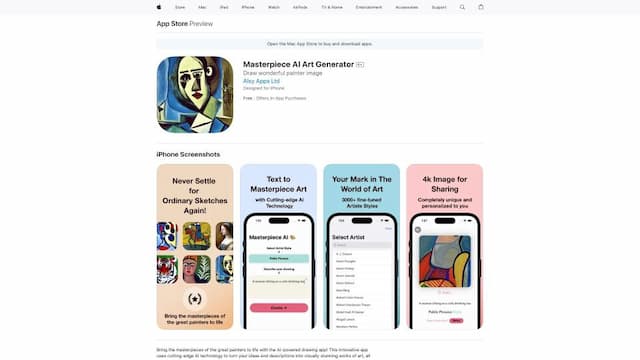
PicCraft is an AI-powered image editing application available for download on the App Store, compatible with iPhone, iPad, and iPod Touch. This application utilizes artificial intelligence technology to allow users to create unique and customized images. It offers a range of features, including filters, styles, and effects that can be applied to any image. It also includes an intelligent cropping tool to ensure the image fits any desired aspect ratio. Additionally, users can adjust colors and apply other effects to make their images more vibrant. The application also uses advanced AI algorithms to suggest styles and effects that match the content of the image, enhancing creativity, saving time, and adding originality to the images. Users can also download their creations and share them on social media platforms or save them to their device's camera roll. The application is user-friendly, making it easy for anyone to quickly learn how to use it to create stunning images. PicCraft is a useful tool for those who want to add some style to their images or create custom graphics without having to spend a lot of time on various design tools. With the guidance of AI technology, users can effortlessly create unique and high-quality images.
 Main Function
The main features of PicCraft include:
1. Filters, styles, and effects: Users can apply various filters, styles, and effects to customize their images.
2. Intelligent cropping tool: This tool ensures that the image fits any desired aspect ratio.
3. Color adjustments and applying other effects: Users can adjust colors and apply other effects to make their images more vibrant.
4. AI algorithm suggests styles and effects: The application uses advanced AI algorithms to suggest styles and effects that match the content of the image.
5. Download and share: Users can download the images they create and share them on social media platforms or save them to their device's camera roll.
How to Use
Using PicCraft is very simple. Users just need to open the application, select the image they want to edit, and then apply the desired filters, styles, and effects. Users can also use the smart cropping tool to adjust the size and aspect ratio of the image. The application also suggests styles and effects that match the content of the image to enhance creativity and originality. Finally, users can download the images they create and share them on social media platforms or save them to their device's camera roll.
PicCraft Traffic

114.70MMonthly Visits

10Similar Ranking
User Rating
What's Your Impression of PicCraft
AI Recommendation


PicCraft Comparison


All resources on this platform are collected from the internet. The platform itself is not involved in content creation.For inquiries such as copyright infringement, report of illegal content, submissions, or business collaborations, please contact the administrator for prompt resolution.Contact Email: ai-apps@ieferry.com
Copyright ©2023 AI-Apps. All rights reserved.